How To Reduce Cognitive Load In UX
Debunking common UX myths about choice and memory, and three practical pillars for making products less demanding on people's minds.
The "3-clicks rule." The "7±2 rule." The assumption that people don't scroll. Our work is packed with strong beliefs, confusing misconceptions, and random myths. So what's actually reasonable — and what should we take with a grain of salt?
Let's get to the bottom of how people make choices, and what we can do to make our products less demanding.
Islands Of Clarity In UX #
People don't always use our products the way we imagined they would. In fact, it's common to see people using only a small portion of a complex product frequently — almost identifying small islands of clarity that help them get through their daily work, while avoiding the obscure or daunting parts of the product they haven't yet learned how to use.
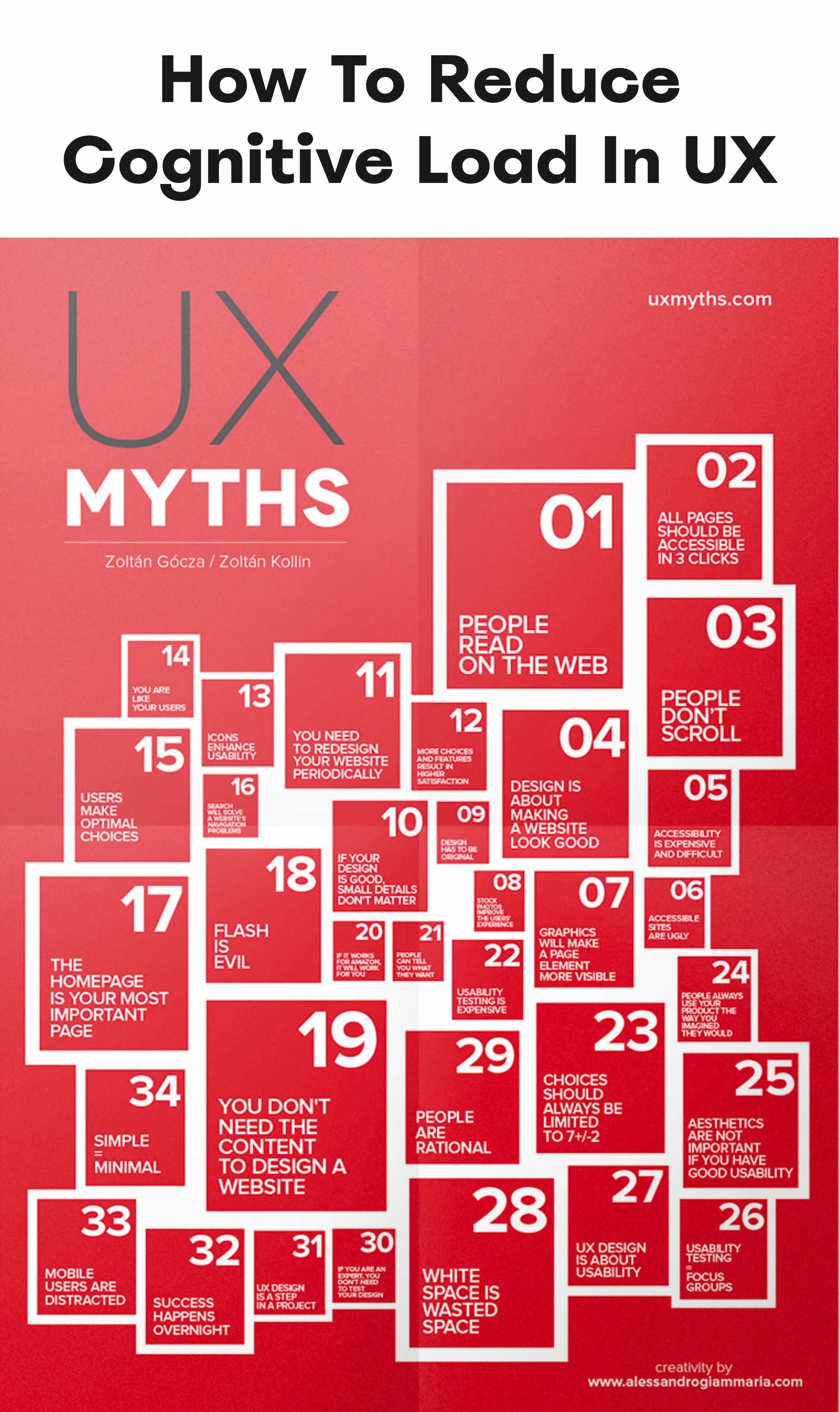
There are a lot of misconceptions about how people interact with a product. UX Myths debunks them, moving design conversations into the realm of facts and evidence.
But once people do learn how to use a feature, their efficiency grows — and so do their expectations of how customizable, flexible, and sophisticated that feature should be. At that point, it's no longer about the number of features, clicks, or taps, or how many items they can hold in their working memory. It's about how accurately the interface maps to how people actually think.
Simpler Isn't Always Better #
We shouldn't assume that people always struggle with complexity. They struggle with products they don't understand. People also learn products and navigational paths over time, making tremendous progress in just a few days. Help them avoid confusion and make fewer mistakes, and they'll use even genuinely complex products effortlessly over time.

Complex doesn't have to mean confusing — particularly for expert software, where oversimplification can be harmful.
Expert software must be complex, because it has to match the complexity of the real world it represents. It requires a vast number of attributes, settings, views, panels, and data points. But complex products don't have to be complicated to use, as long as they make sense to the people using them, and those people have the chance to become proficient. The worst thing we can do as designers, in that case, is to oversimplify.
Three Pillars Of Reducing Cognitive Load #
When we want to reduce cognitive load, there are three key aspects to consider: choice, organization, and working memory.
Reduce Choice #
People make a huge number of choices every day, and they've become remarkably efficient at scanning, skimming, and skipping to reach their goals faster.
To reduce cognitive load, it helps to eliminate unnecessary content and tasks, and to group sets of decisions into presets that guide people toward the most frequently taken path — while still giving them an option to adjust that preset to their own needs.
It's worth noting that experts often prefer to see many options or features at once, while non-expert users tend to rely on the small "islands" they use regularly.
Create Order Around A Task #
People are usually happier when they only have a small set of options to choose from. But the biggest challenge isn't managing too many options — it's how poorly organized, and how similar, those options are. Similar options confuse people, leaving them feeling frustrated or even paralyzed.
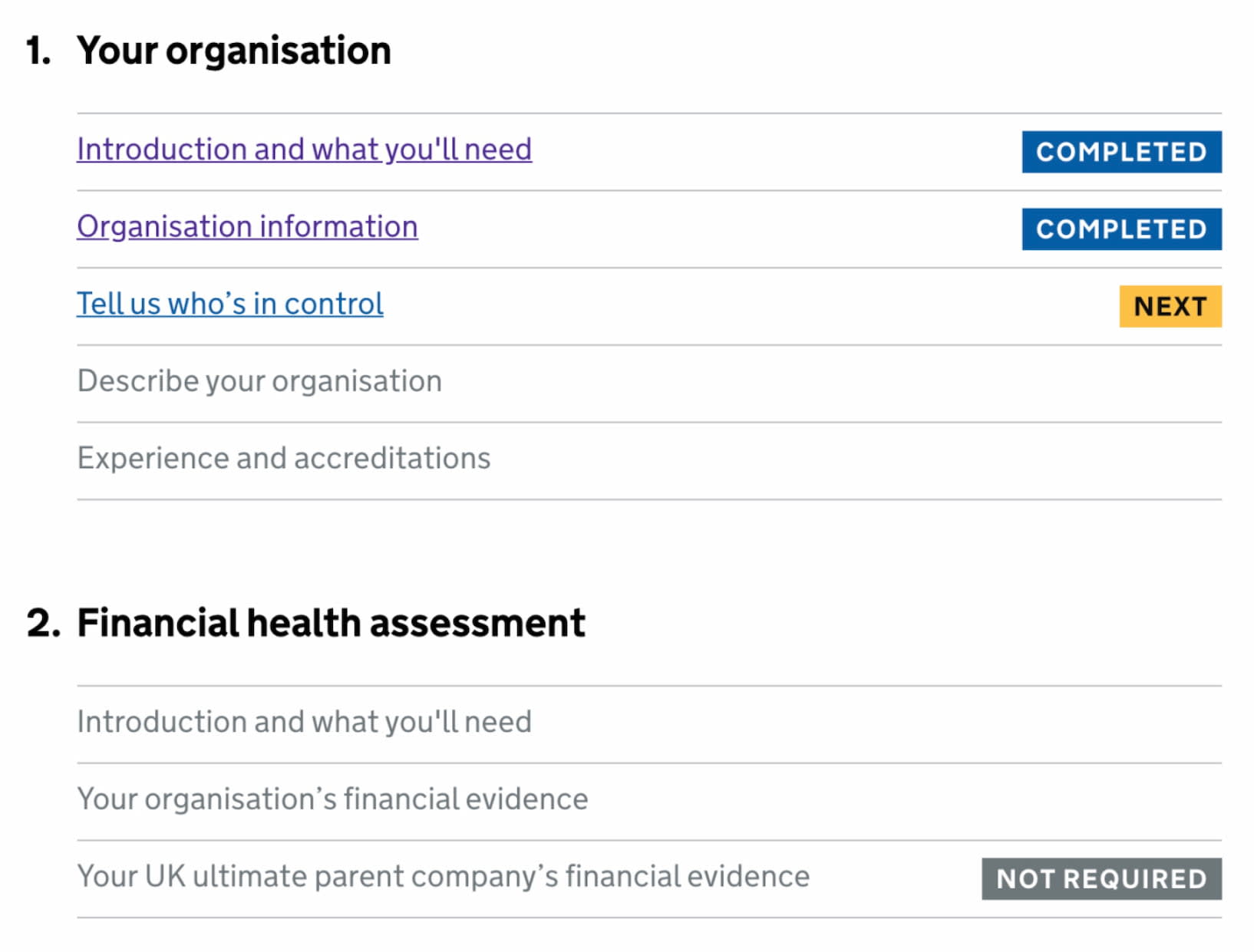
More clicks don't automatically mean a poor experience. To reduce cognitive load, break complex tasks into a series of smaller sub-tasks — one thing per page, as suggested by GOV.UK.
Contrary to the often-repeated "3-clicks rule," people typically don't mind an extra click, as long as it's clear and predictable — and as long as it isn't repetitive or slows them down. The number of clicks or taps is a poor indicator of good or bad UX.
Support Working Memory #
Good UX isn't about the number of items in a navigation, as the famous "7±2 rule" might suggest. What matters more is how many of those items a person has to hold in their working memory.
Don't force people to remember things. This happens when modals block access to content they still need, or when related records are scattered across different tabs or pages. Avoid sliding panels and overlays in these cases, and consider showing content in vertical split screens instead.
And, of course, there are established ways to map people's mental models more accurately. Run card sorting on features, filters, attributes, and menu items. Run tree testing on navigation. Break complex decisions down into a set of smaller decisions. The same applies to flows — a flow spread across more pages might work better than cramming everything onto one single page.
Wrapping Up #
There are no magic templates or shortcuts for reducing cognitive load — so beware of oversimplified UX rules that promise quick fixes. More often than not, they limit your design decisions and prevent you from making the right choices for your users.
The first step toward reducing cognitive load is to accurately understand your users — their expectations, their needs, and how they think. Once you have those insights, you can explore ways to make their experience clear and straightforward.
Good UX isn't about avoiding complexity. It's about avoiding confusion, and helping people make progress with a high level of accuracy and speed.
Useful Resources #
- UX Myths (+ free PDF poster), by Zoltán Gócza and Zoltán Kollin
- Designing For Stress And Emergencies, by Vitaly Friedman
- How To Reduce Cognitive Demand In UX, by Alexander Benz
- De-Stressing Design, by Lucy Scott
- 8 Design Tips To Reduce Cognitive Load, by Uxcel