Designing Better Phone Input UX
Helpful techniques to avoid frustration, lock-outs, and painful, slow phone number input.
Ah, phone input UX. Confusing formatting presets, wrong assumptions about country codes, blocked copy-and-pasting — entering a phone number in a form is often more difficult than it should be. So what can we do to design better, more reliable phone input UX? Let's take a closer look.
The Usability Of Input Masking #
Phone numbers are complex. Their length differs across countries — anything from 7 to 15 digits — and formatting conventions such as hyphens or dots vary significantly, too.
A frequent design pattern for phone input is a two-step input. First, a user can (but doesn't have to) choose the country, and once it's selected, the default input mask for that country appears (e.g., +1 (212) 456-7890). It works, but it also has some usability issues worth considering.
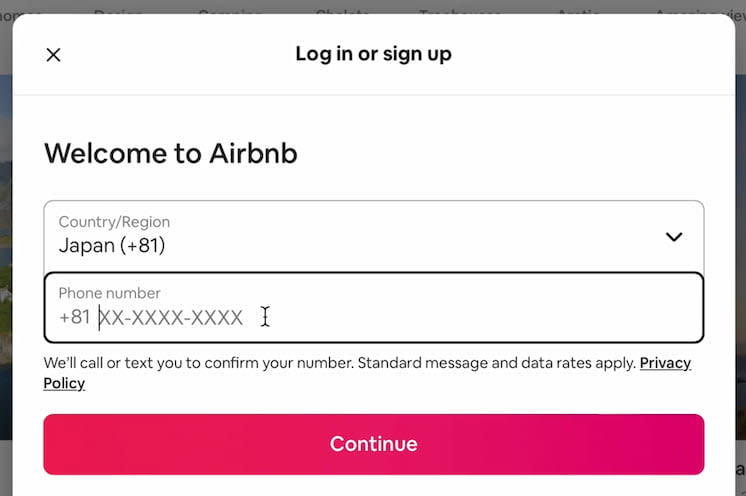
Two-step input for the phone number at AirBnB. Notice that a prefix for the country is pre-filled based on country selection.
In fact, different usability studies disagree on input masking. Typically, we use masking to reassure people that they've typed the number accurately, and to help them review that input. But by doing so, we also impose a specific way of typing and reading that we're expecting from them.
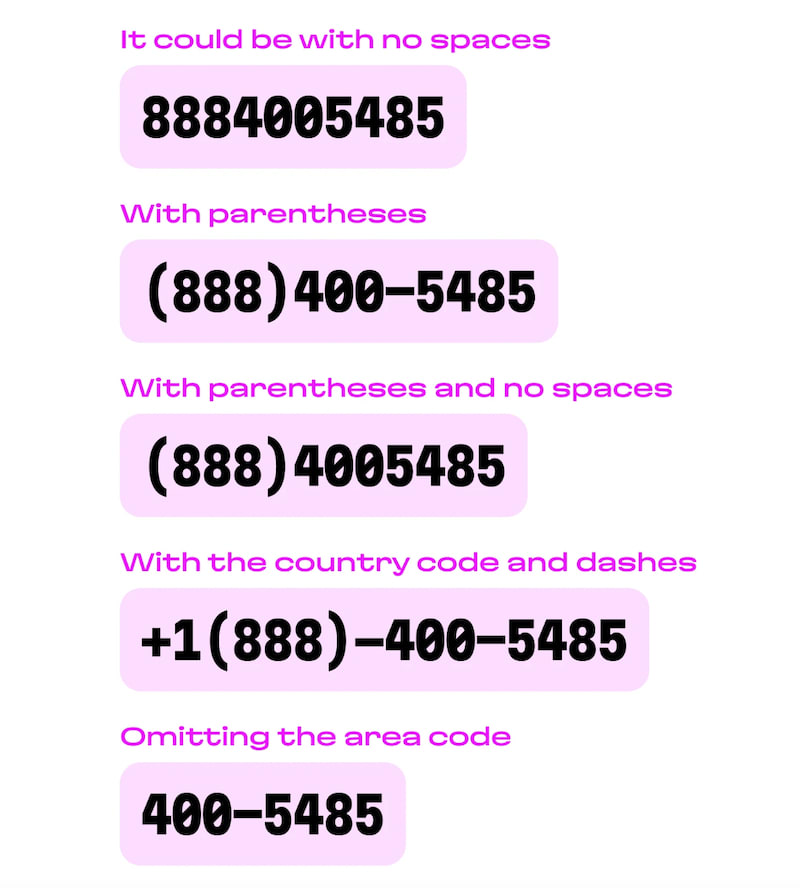
These are just a few variations a user might try when entering their phone number. (Image credit: Gleb Stroganov and Travis Turner)
If a user needs to copy the number from somewhere else with a different formatting, input masking makes it difficult to compare whether they've got it right. Plus, input masks must adapt based on the country, so we always have to ask users for the country first.
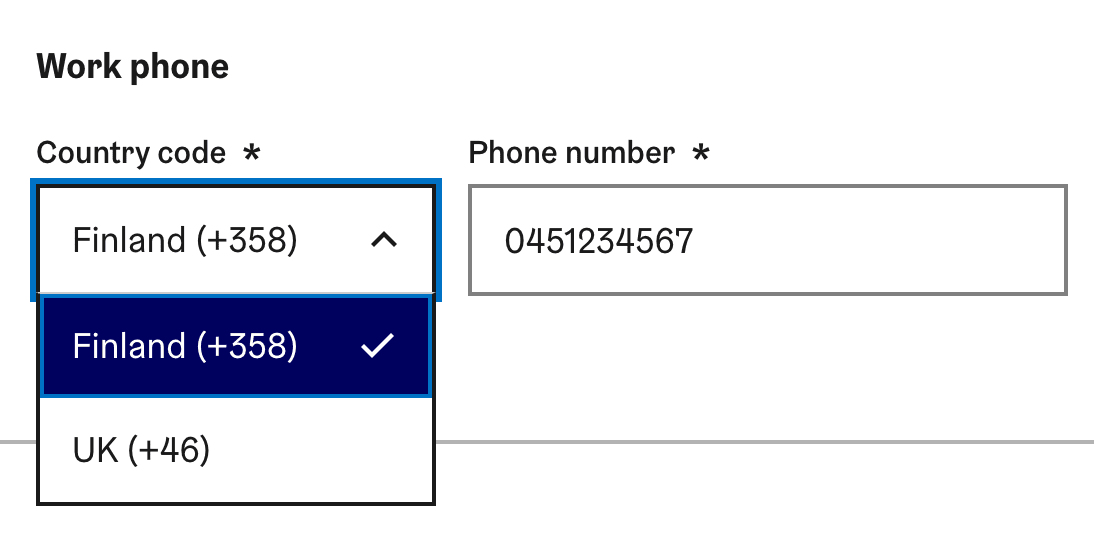
Phone input component in Helsinki Design System. No masking needed.
This can be confusing and troublesome, as the number already comes with an international code, which has to be edited out before pasting.
Don't Set A Fixed Country Code #
One of the most painful patterns in phone input is a fixed, pre-filled country code that can't be edited or changed. The assumption is that the number customers use is issued in the country where they currently live.
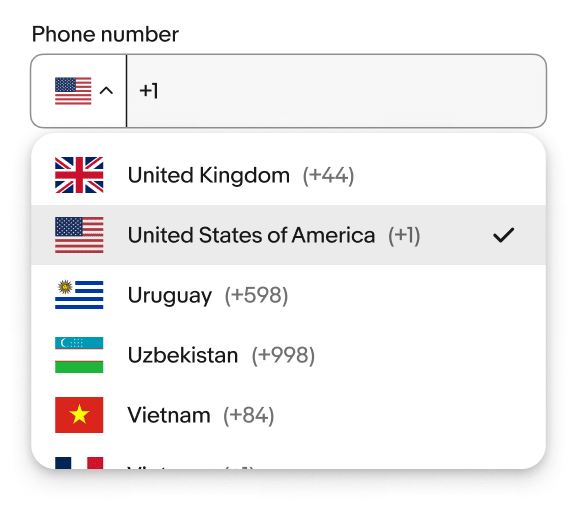
eBay Phone Input component with a flag selection and country code. If you use a country selector, you will need both.
This might be true for many cases, but it's also wrong in many others. Especially with people moving quite a bit these days, that's not necessarily a safe assumption to make at all.
In fact, that's an issue many of us run into regularly: being locked out from entire services, or having to spend hours in customer service, just because there's no way to update a phone number in the UI. All due to false assumptions.
Support Users In Their Context #
Assumptions are always fragile, and the best way to design resilient experiences is to support users in whatever context they find themselves in, for whatever input preference they have. The techniques below help remove barriers and unnecessary friction.
Set Expectations Early #
If you need a number, explain whether you need a local, international, or office/mobile number. State early if the number will be verified with a confirmation code or SMS. If necessary, ask users to review the number before they hit that "Finish" button.
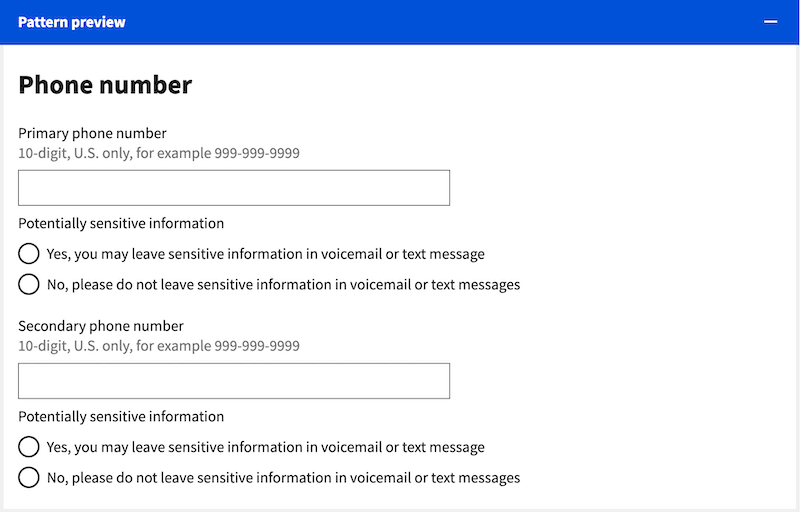
Apart from clearly stating that the number needs to be based in the US, this phone input also asks users for permission to leave sensitive information on it. (Image credit: U.S. Web Design System)
Support Any Unambiguous Input You Receive #
In the same spirit, we shouldn't set strict requirements around input formatting. As long as the input contains the right number of digits, we should allow all formats and let users enter their data the way they're used to.
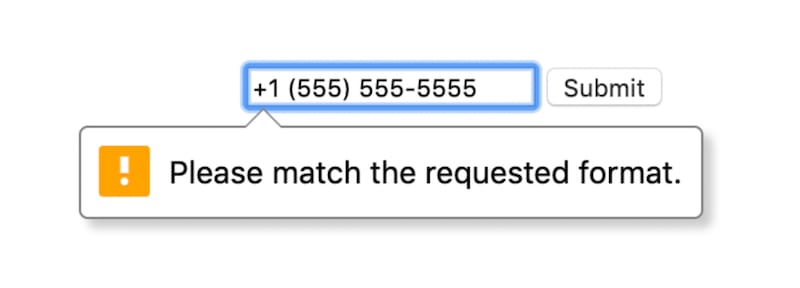
There's nothing more obtrusive than only allowing a particular format when a user enters their number. (Image credit: Base Design System)
So accept empty spaces, dashes, parentheses, and full stops. Support everything, then validate. And to prevent confusion, leave the user's input as is, and don't reformat it — especially while they're still typing.
Actively Support Copy-Paste #
People often forget their phone number, and breaking a field into multiple input fields makes it very difficult to copy-paste a number from somewhere else, or to use browser autofill reliably. The more separate fields you add, the more likely people are to run into issues filling it in.
So ideally, don't split phone numbers into multiple input fields. Instead, use a single input for the entire number, including the country code. Add a country selection only if you must, rather than by default.
Support Abbreviations For Countries #
If you do use a country autocomplete, support country abbreviations (DE for Germany, for example) and synonyms (Holland, NL, Netherlands) — and in that case, add flags as visual indicators for each option. Show both the country name and the dialing code ("United States +1").
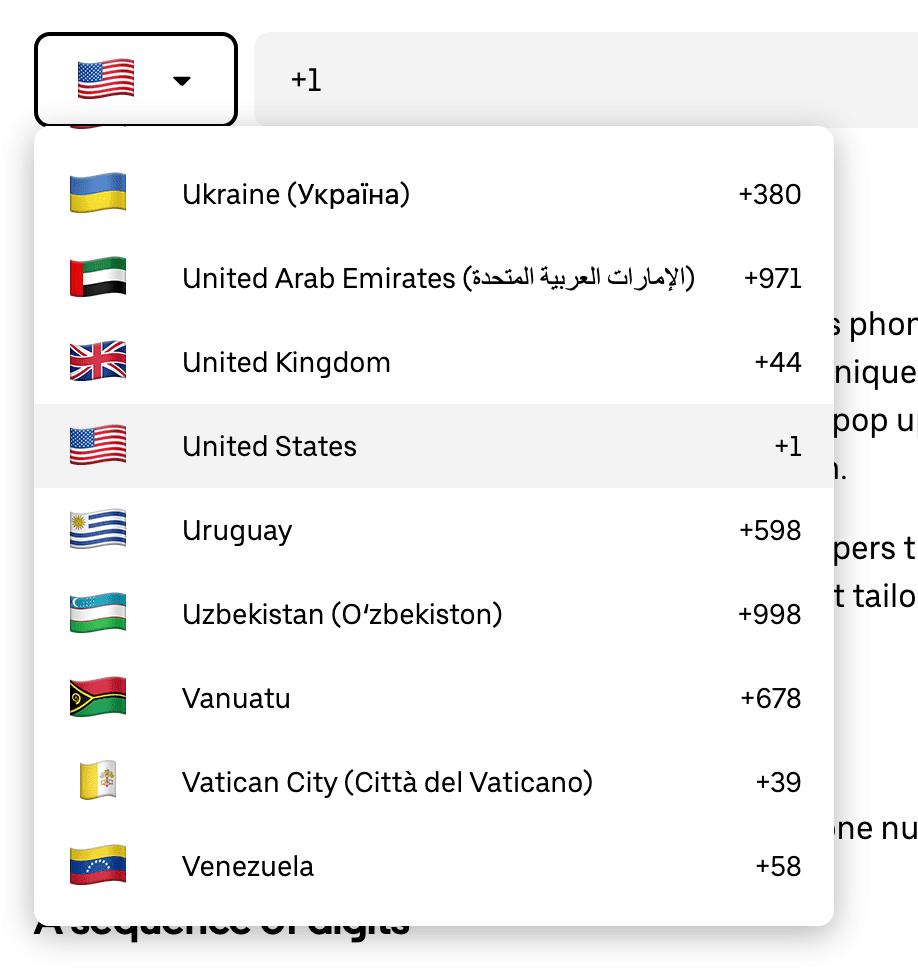
Better: International Phone Input, a little case study from the Uber Design System team.
You might also want to display the local name, and assign weights to each option, to show the most relevant options for your audience first.
Use The Right Keyboard On Mobile #
As of HTML, use <input type="tel"> to trigger the phone keypad on mobile. But avoid inputmode="numeric", as it's used mostly for PINs, credit cards, and numeric input — not phone numbers.
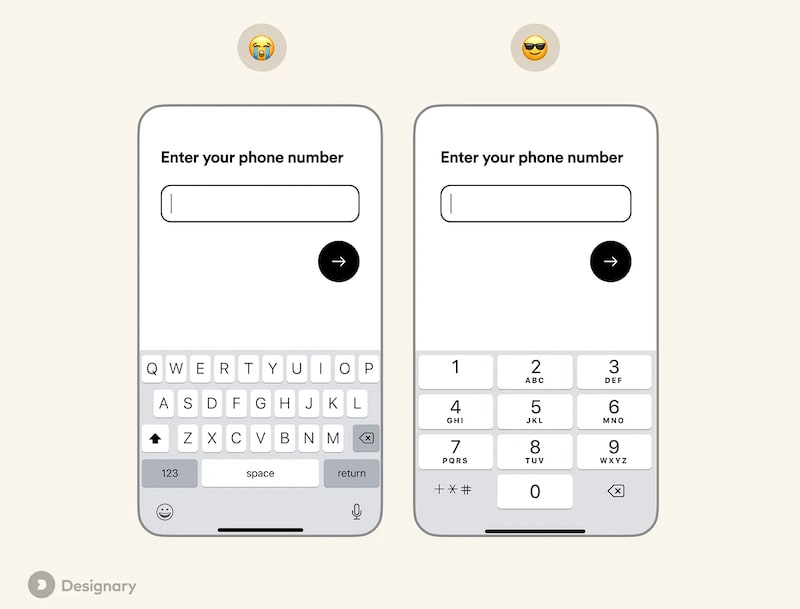
<input type="tel"> displays the phone keypad on mobile devices. (Image credit: Philippos Protogeridis)
Group Digits When Showing Phone Numbers #
Reading a lengthy series of numbers is difficult — this goes for credit card input, but also for phone numbers. So when presenting a phone number, avoid country-specific formatting for international numbers, and group digits in sets of 2–6 for readability instead (e.g., +44 20 7123 4567).
Wrapping Up #
A phone input field might seem like a rather simple thing to design, but there are some pitfalls — and sometimes good intentions, like country-specific formatting or a default country code based on a user's location, can even complicate things for some customers.
A reliable phone input gives customers a way to enter their number the way they prefer. It doesn't confront them with a set of inflexible presets and fancy formatting that, depending on their context, simply don't work for them.
So, whenever we design a phone input field, let's keep things as simple as possible and stick to a simple principle: support everything, then validate.
Useful Resources #
- Designer's Guide To Phone Inputs UX, by Gleb Stroganov, Travis Turner
- Phone Number UX: Always Explain Why The 'Phone Field' Is Required, by Edward Scott
- Phone Number Links And Accessibility, by Matt Smith
- Phone Number Mobile Types, by Filippos Protogeridis
- Improve Your Mobile Forms With Input Types, by Matt Johnson
- On Input Masking: Taking The Pain Out Of Forms, by Chris Kark
- Phone Number Length, By Country
- Phone Number UI Components (Showcase), by Nicelydone
- Phone Number Input Field Exploration, by Diana Palavandishvili
- Google's Phone Number Validator