Agentic Journey Maps And Agentic Experience Design
How do we design for AI agents that flood our products, get stuck or make wrong decisions? An agentic journey map, human-agent interaction modes, and how to design for trust and oversight.
So we know how to design user journey maps. But what if swamps of AI agents flood our products and get stuck, lost, "confused" or simply make wrong decisions? How do we design agentic experiences? And what would an agentic journey map look like?
At first, it might seem obvious. We make our products "AI-ready" by allowing AI to interact with them efficiently — making services structured, accessible and machine-readable. But we also need to design discovery, recovery, oversight, handoffs and approval flows with humans.
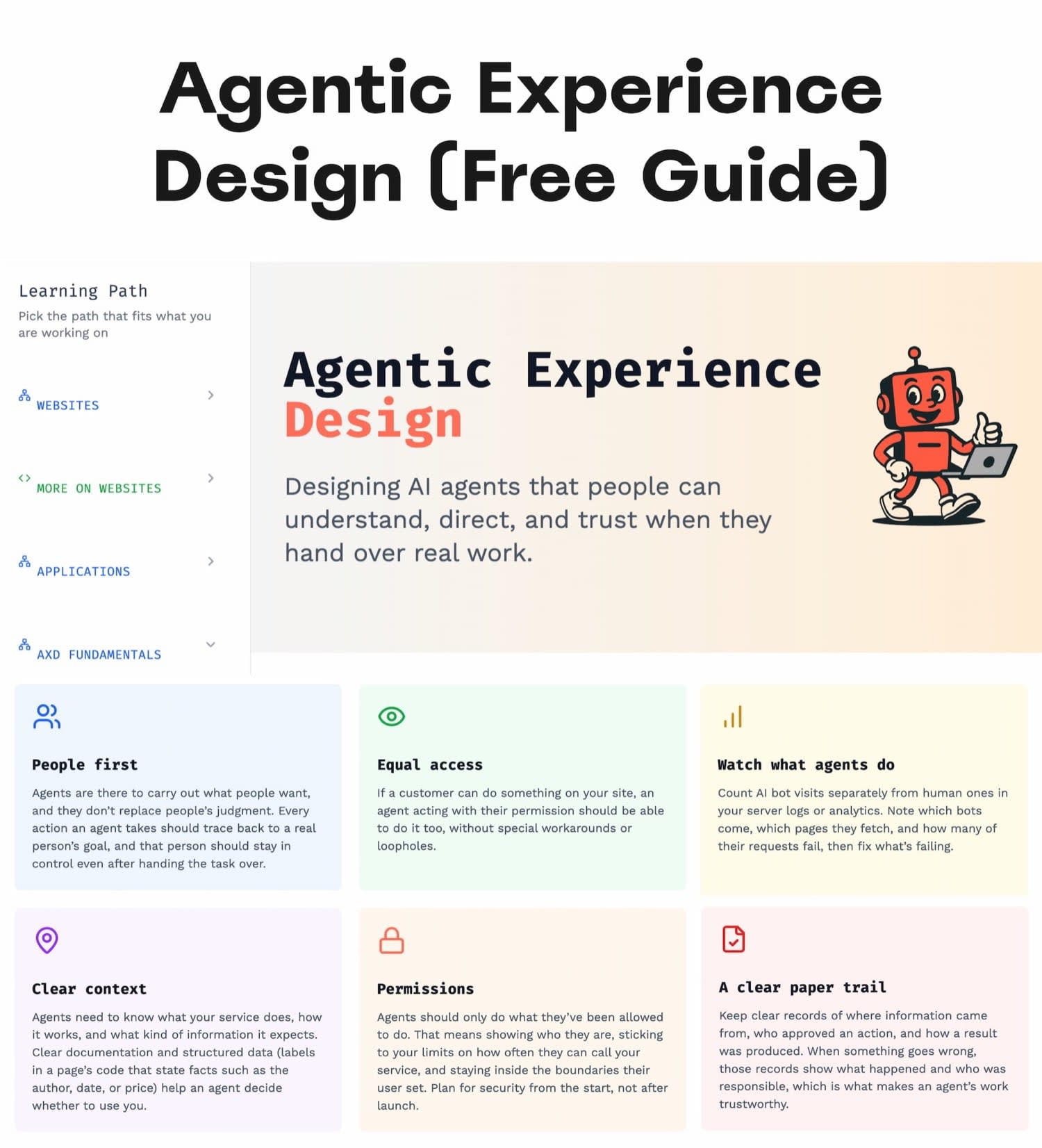
Agentic Experience Design (AX) — an overview of agent goals, action paths, and human oversight layers. agentexperiences.com.
Just last week I stumbled upon Alan Weibel's Agentic Experience Design, with free guides, research and tools on how people and AI agents work together on a task.
There are plenty of interesting insights in there, but what caught my eye are human-agent interaction models and agent journey maps. Let's dive in.
1. Meet Agentic Experience (AX) #
Designing for agentic AI is hard, mostly because of consequences it has in the real world to real people. In the end, we all are trying to figure it out, especially how to deal with the complexity of real-world agentic experiences.
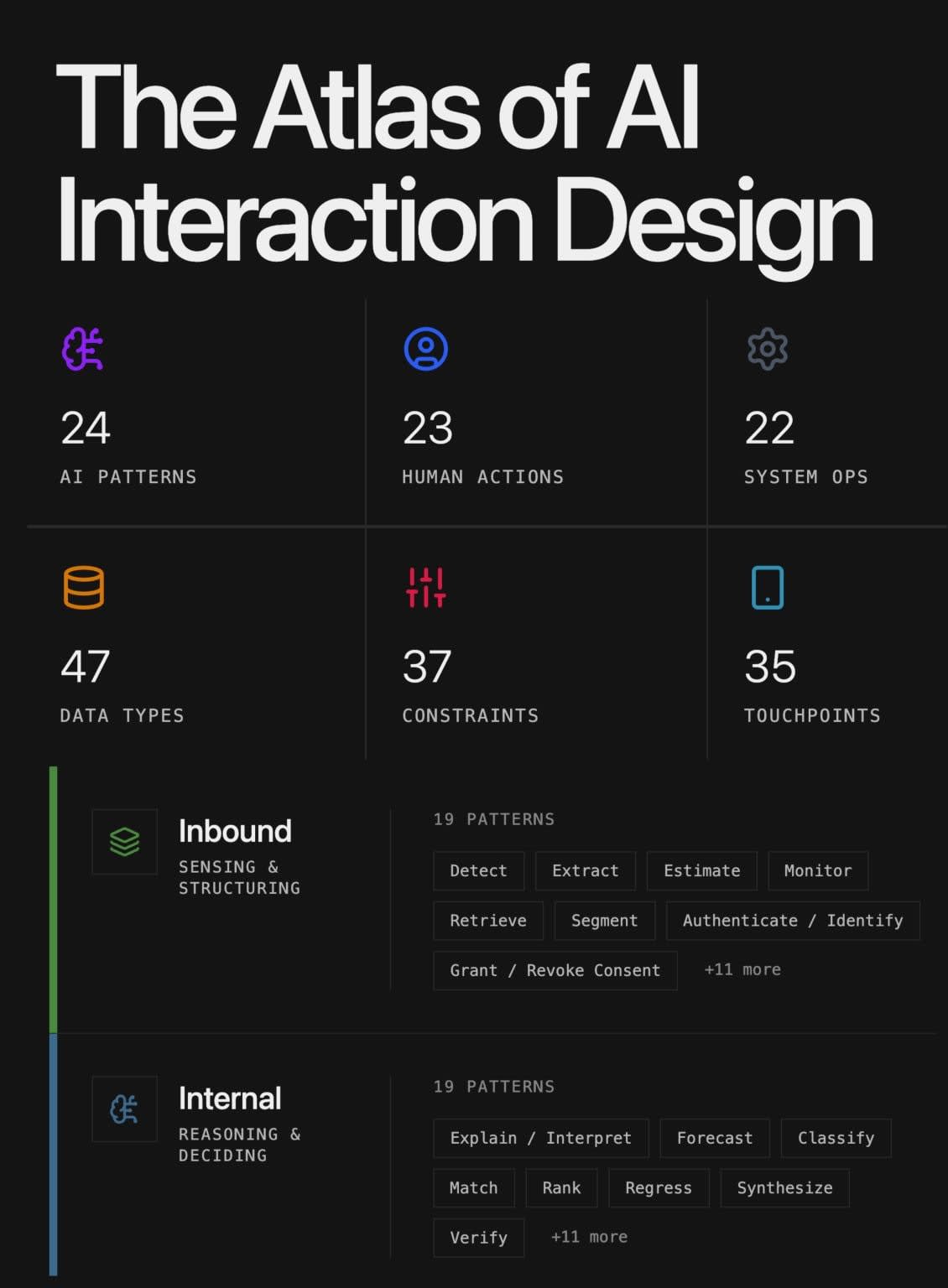
The Atlas of AI Interaction Design — a visual collection of real-world AI interface patterns, broken by sections and action types. By Brandon Harwood.
The key difference between AI and AI agents is autonomy. Agents have agency — they can perform actions on behalf of humans or other agents, with or without approvals and feedback loops, and they can choose the actions to perform depending on the goal that they have.
The goals can be broad or specific — gathering data, filing a support ticket, buying something or contacting a supplier. But they are always shaped towards a particular intent that a user has expressed in some way.
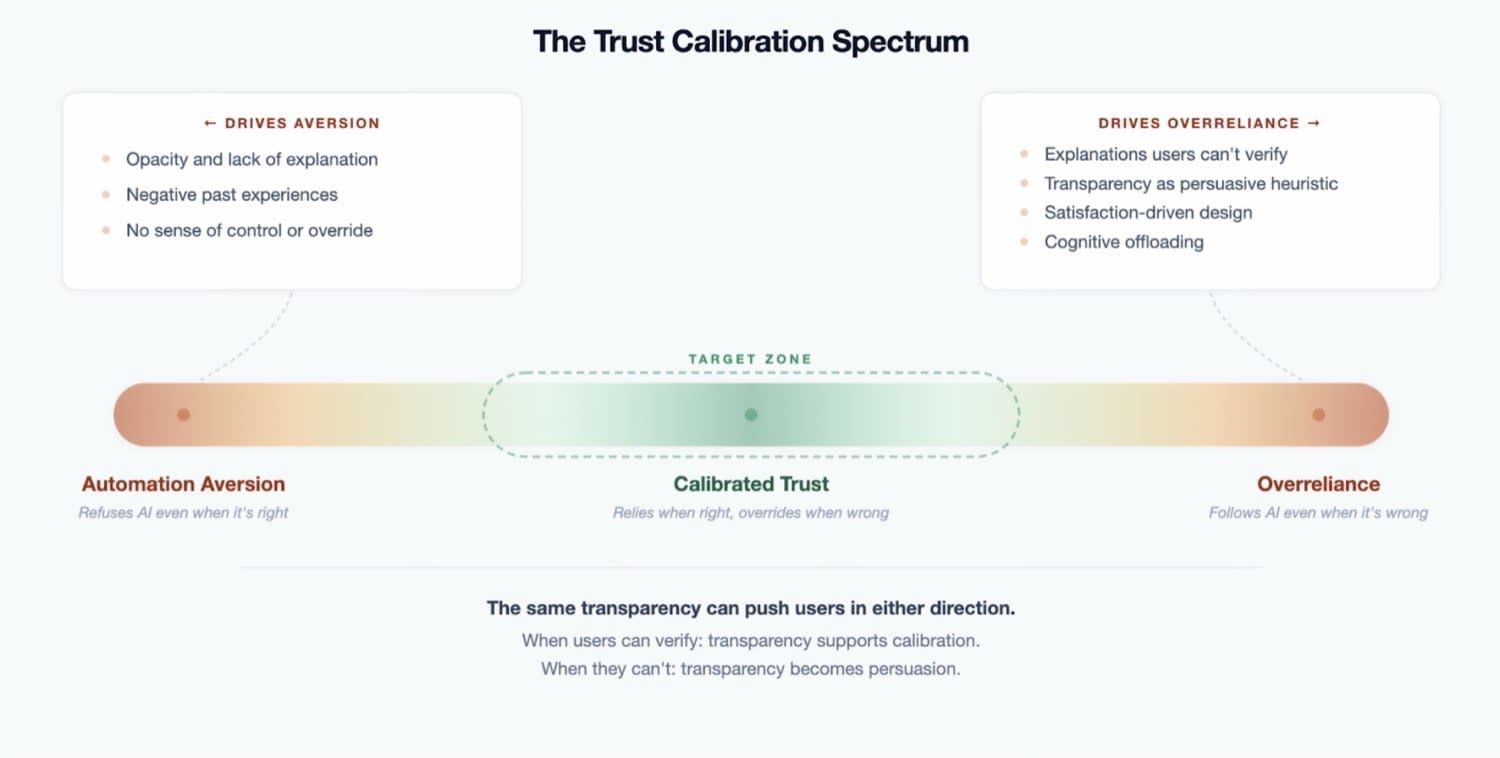
The goal of agentic experience isn't to maximize trust, but rather to calibrate it. Article by Kristine K.
Now, that intent can be (and often is!) articulated poorly, or with quite a lot of attention and context engineering. But because it can happen both inside and outside of our products, we need to design reliable paths for agents to maximize their success, even with ambiguous or incomplete input.
We do so by guiding them. With structured content, instructions on how to choose the right route for key tasks — and how to eventually recover from failures.
2. The Two Sides Of Agentic Experiences #
When we speak about agentic experiences, typically there is quite a bit of confusion in the room. Are we actually speaking about agents' experiences of working towards a goal? Or human experiences of using agents to achieve their goals?
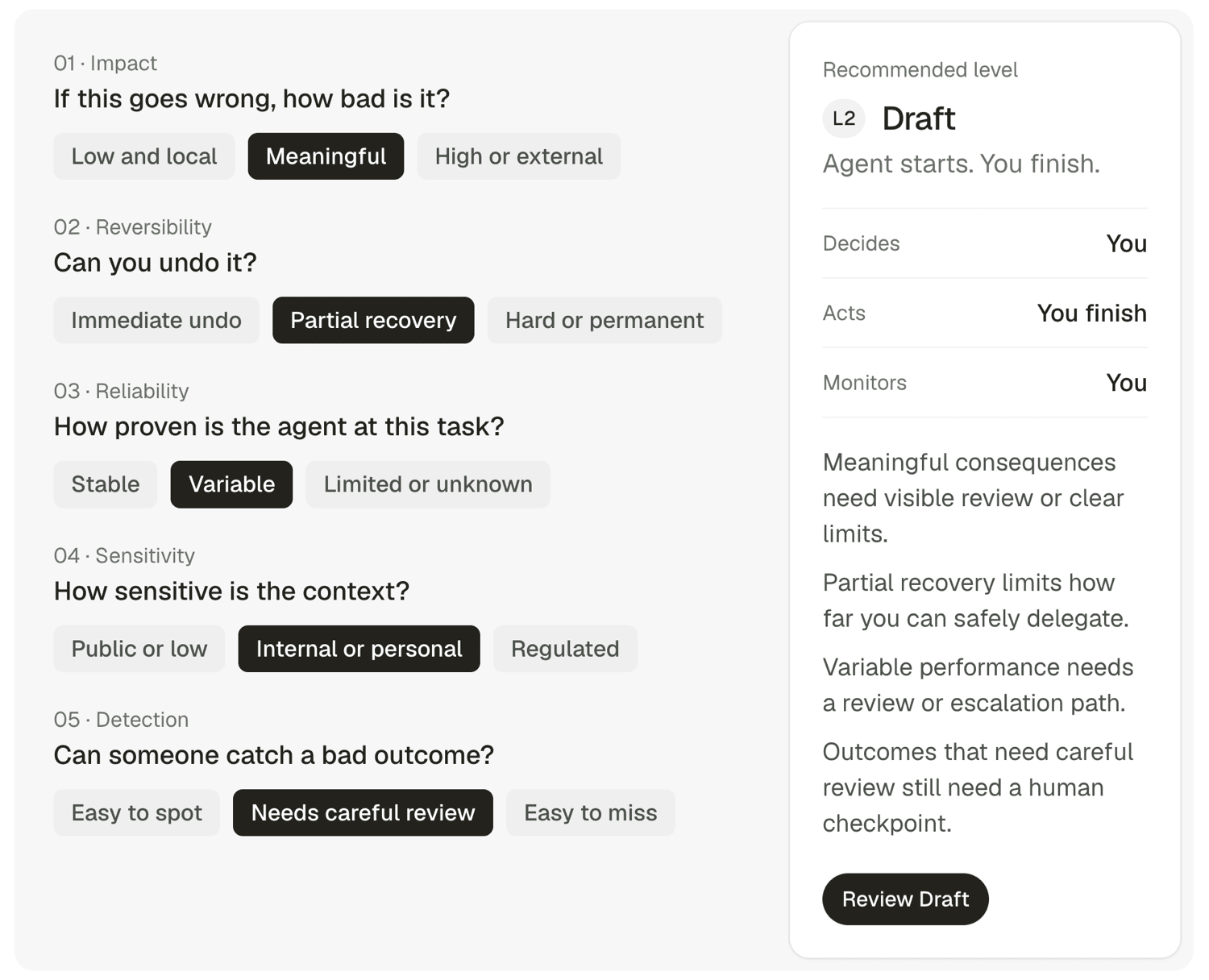
Deciding on autonomy levels, depending on reversibility and impact. Agentic UX patterns.
Typically it's both. We design for "agent accessibility" to help external agents be more efficient and successful with our products. And we help our users work with our (or their) AI agents — from initial setup and preview to running and correcting.
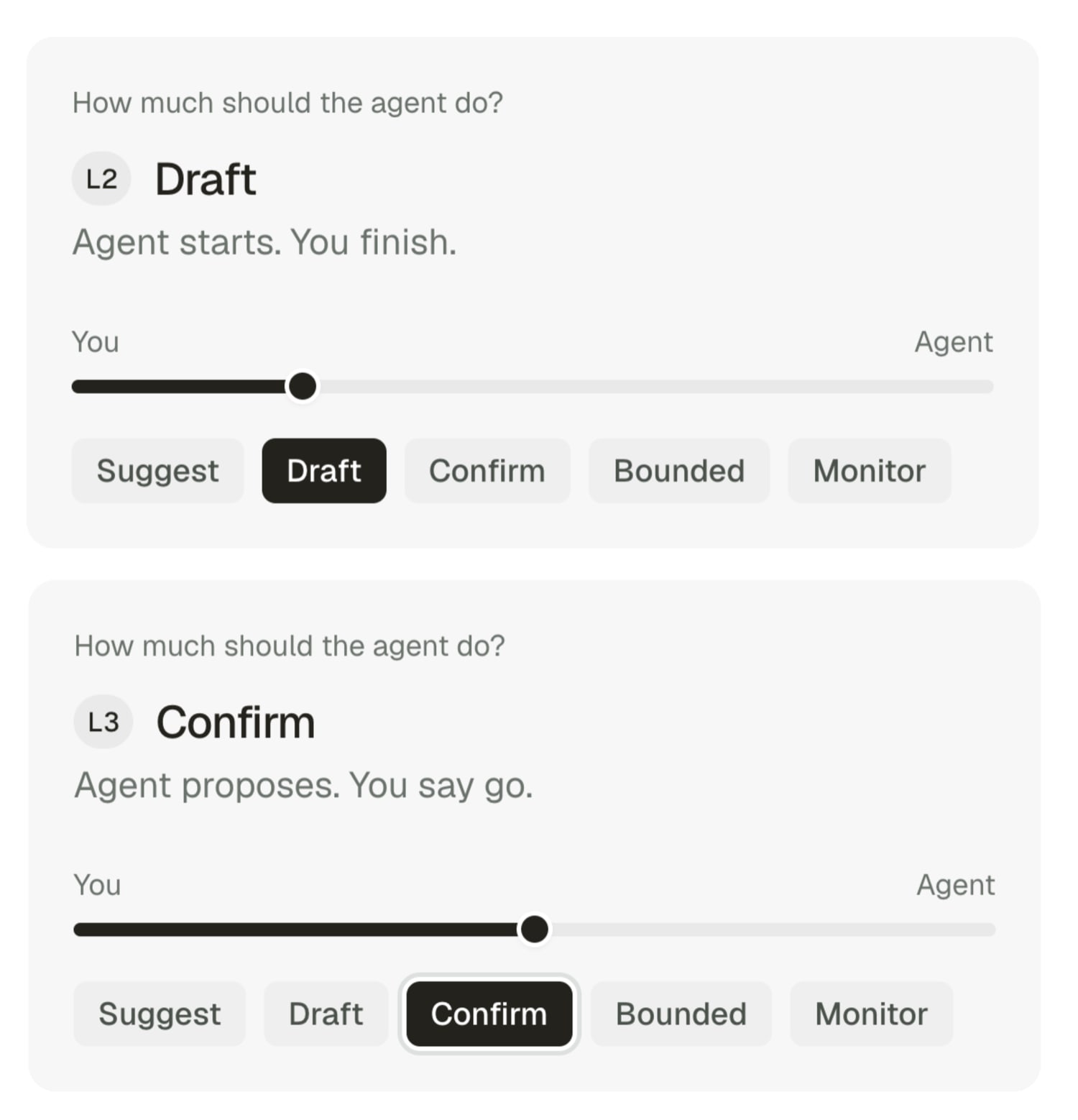
Five established autonomy levels: from Suggest and Draft to Confirm, Bounded and Monitor. Agentic UX patterns.
This requires showing just enough of what agent does, gradual consent and autonomy, and the right level of trust and confidence.
3. Designing Agent Journey Maps #
When we map out an agentic experience, the order of steps matters. An agent can't get through any step until the previous one is successful. We need to design (at least) a 7-step journey to maximize success and enable efficient recovery:
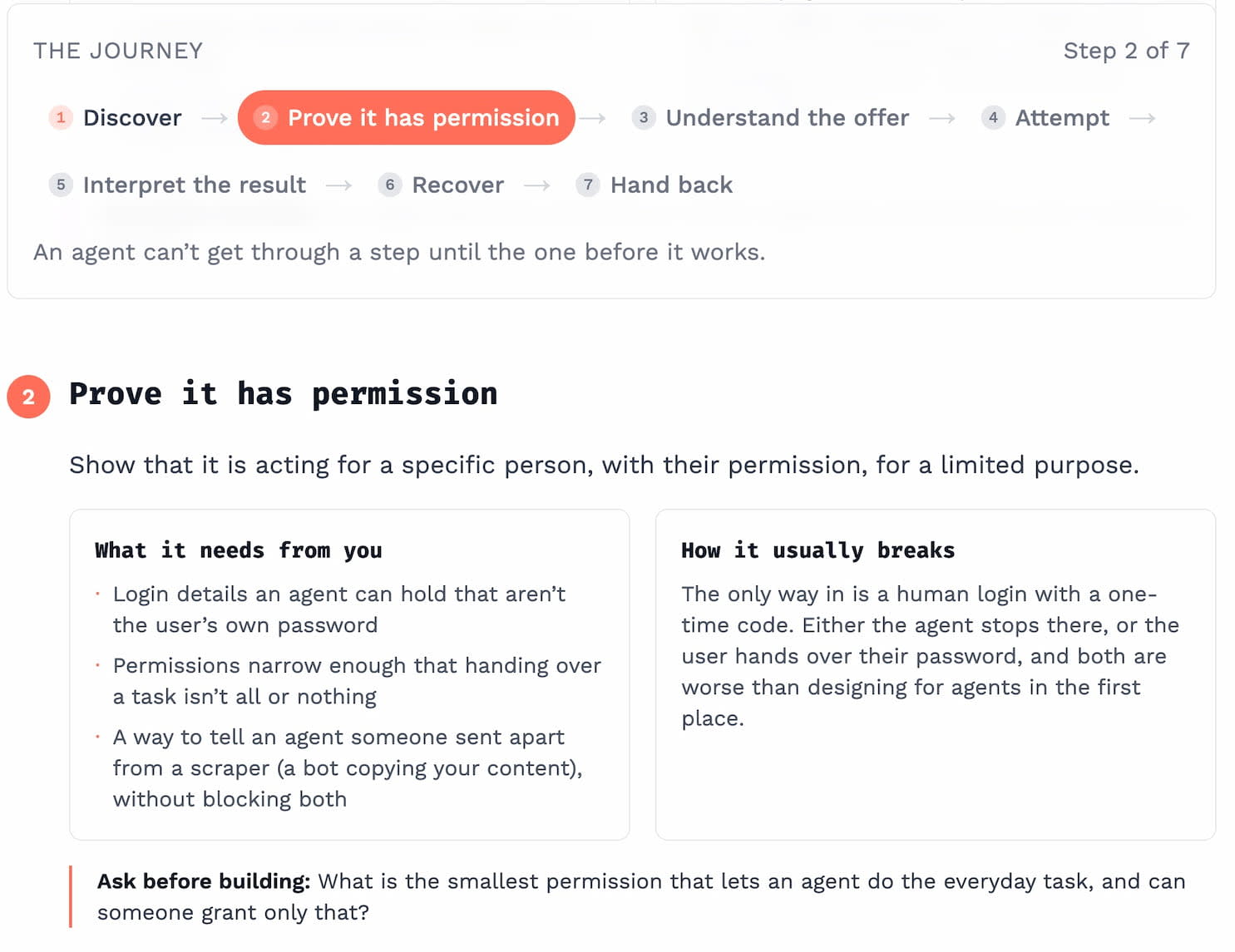
Agent Journey Map, with 7 distinct steps, by Alan Weibel.
- Discovery
Agents must find out that our product exists and what it can do, with a list of actions and services, described in a format AI can read (not PDF). - Permissions
Agent must be able to show that it's acting for a specific person, with their permission, for a limited purpose. It requires different login details compared to user passwords. - Choosing the right action
We must serve agents instructions on how to choose the right actions, ask for context and input and route them to good choices. - Perform a task
We must enable a smooth and bulletproof execution, with safe retries (to prevent double booking) and accessible actions (e.g. no drag-n-drop or CAPTCHA). - Interpretation of results
Agent must receive feedback and understand what worked and what failed (specific error messages), and whether to try again. - Recovery
Failures are just a matter of time. The task here is to bring agent on track without a human intervention, or decide that a human is needed. E.g. to reverse actions, or suggest fixes. - Handoff
Agent must carry and present the result to the user, in a verifiable and useful form (e.g. reference number, receipt), or ask for a decision to proceed or ignore.
The whole journey requires us to know what you want an agent to do and what you don't want them to be able to do. Typically that means having a real policy on agent access, and designing a proper delegation cycle.
4. In-, On- And Out-Of-The-Loop #
Any given task typically crosses 3 human-agent interaction modes, with different levels of autonomy or oversight — depending on reversibility and consequences of actions. Most UX work is deciding when and how to switch between them.
- In-the-loop: Agent plans and proposes, and a human approves before anything happens. The work stops at each step and waits for approval. We use it when the action can't be undone, will be seen by other people, or costs money. But: comes with slowness and approval fatigue.
- On-the-loop: The agent runs without waiting, while a human watches the work as it happens and can step in at any moment. Works for long tasks with many steps, made of small, low-risk actions. Research, browsing, comparing options, monitoring, and edits across many files all fit.
- Out-of-the-loop: Agent works autonomously, (hopefully) within limits agreed, and reports afterwards. Oversight happens when users define what's allowed beforehand, and when they review afterwards. Works for scheduled tasks, e.g. nightly digests, monitoring and alerts.
5. Useful Resources #
Design Patterns For Agentic UX and AI Products is a fantastic resource with 170+ design patterns, real-life examples and helpful guide all around AI — from onboarding and chatbots to inputs, outputs, collaboration and audio.

Design Patterns For Agentic UX — 170+ patterns covering onboarding, chatbots and agentic UX.
- The Atlas of AI Interaction Design, by Brandon Harwood
- GenAI UX Design Patterns, by Sharang Sharma
- AI Interaction Design Patterns, by Emily Campbell
- Voice AI UX Patterns, via Sharang Sharma
- Agentic UX Patterns, by Dustin Kirk
- Design Patterns For Building Trust, by Projects by IF
- Voice of AI, by Anne Cantera
- AI Audio Guidelines, by Harsheen Vohra
- AIverse Design Patterns for AI, by Kshitij Agrawal, Dave Brown, Clair Sun
- AI UX Patterns, by Luke Bennis
- AI Design Patterns Catalogue, by Maggie Appleton
- Where should AI sit in your UI?, by Sharang Sharma
- Prompt UX Patterns, by Sharang Sharma
Useful Video Courses #
- Design Patterns For AI in 2027, by Vitaly Friedman — Video course on Maven
- AI and Design System, by Brad Frost, Ian Frost, TJ Pitre
- Agentic Design Systems (upcoming!), by Romina Kavcic
- AI Design Systems Conference, by Sil Bormüller + team