Visualize Dependencies In Design Systems
A growing set of tools to see how design tokens and UI components depend on each other — so you can estimate the impact of a change before making it.
You might have been there before. You make a small change in one place — and suddenly pixels shift, layouts break and builds fail. Once you're working across 100s of components, multiple products and several teams, it's really merely a matter of time.
In complex systems, dependencies are everywhere — especially with legacy and 3rd-party systems. So how do we keep track of them? By visualizing relationships — direct and indirect — of design tokens and UI components that consume them. Let's see how it works.
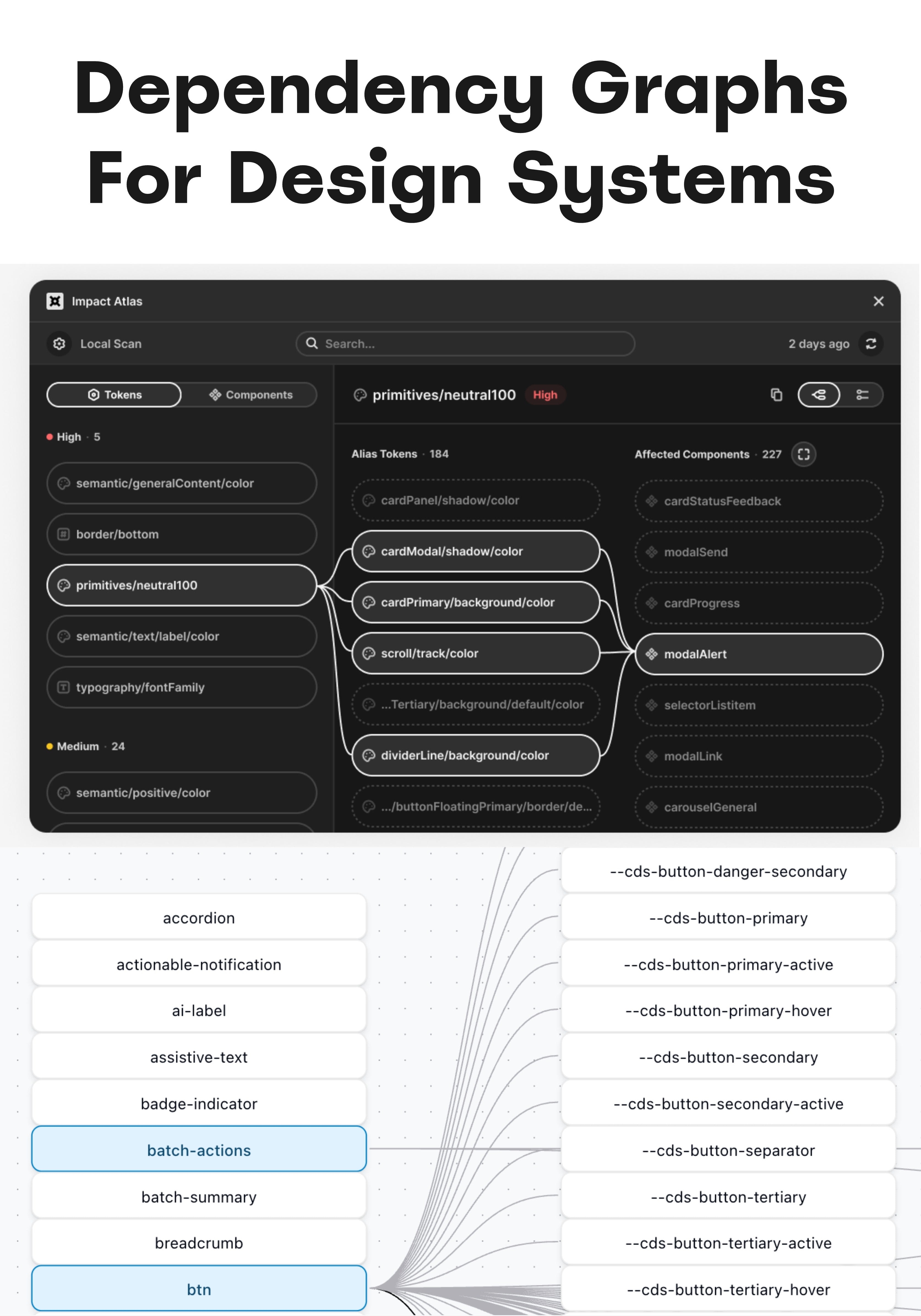
A growing set of helpers to visualize how tokens and components depend on each other.
Useful Time-Savers To Visualize Dependencies #
It's difficult to understand just how much impact a particular change in a design system has on other components and values downstream — and estimate the scope of a change before making it.
All the tools listed below try to solve that problem for good. You select a UI component or a design token, and you get a sense of everything it uses, everything that uses it — and you can navigate back and forth to see all indirect relationships as well.
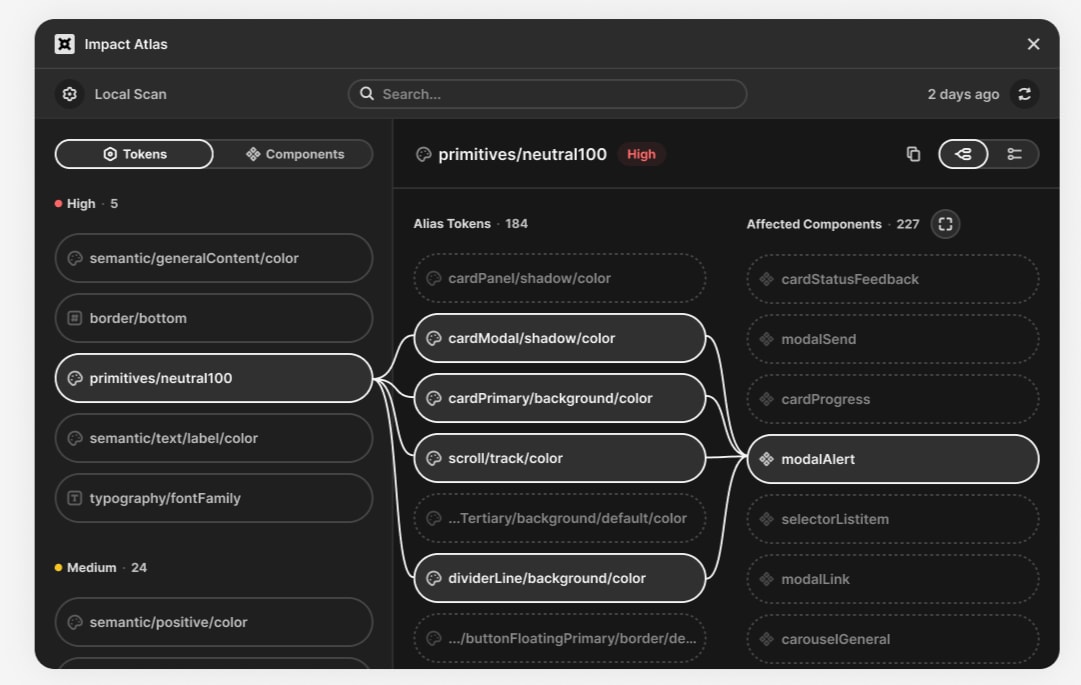
Impact Atlas maps how a change propagates across components and tokens — and weighs its actual impact. By Rafael Matos da Silva.
- Impact → Impact Atlas (Figma), by Rafael Matos da Silva. Weighs a token's impact by where it sits in the token's architecture and how frequently it's actually used.
- Relinking → Synapse (Figma), by Christian Heydt. Not just a visualizer — it also handles token relinking and style rebinding, then generates a production-ready export.
- Style dependencies → Lineage (Figma), by Lalo Martínez. Visualizes component and style dependencies, so you can see how a change will impact other files.
- 3rd parties → DS Explorer (Figma), by Yarik Bright. Flags which elements come from external 3rd-party libraries and shows how heavily they are used.
- Local files → Asset Deps (Figma), by Will Johnson. Scans local files and builds a sorted map of components, sub-components and where each one is used.
- Upcoming → Component Graph (WIP), by Javier Cuello. Pick a token, component or instance and trace everything it uses and everything that uses it. Not yet released.
Useful Tools For UI Engineers #
Here are a few similar tools, some of them slightly more technical and designed for UI engineers or developers — others web-based or work in progress:
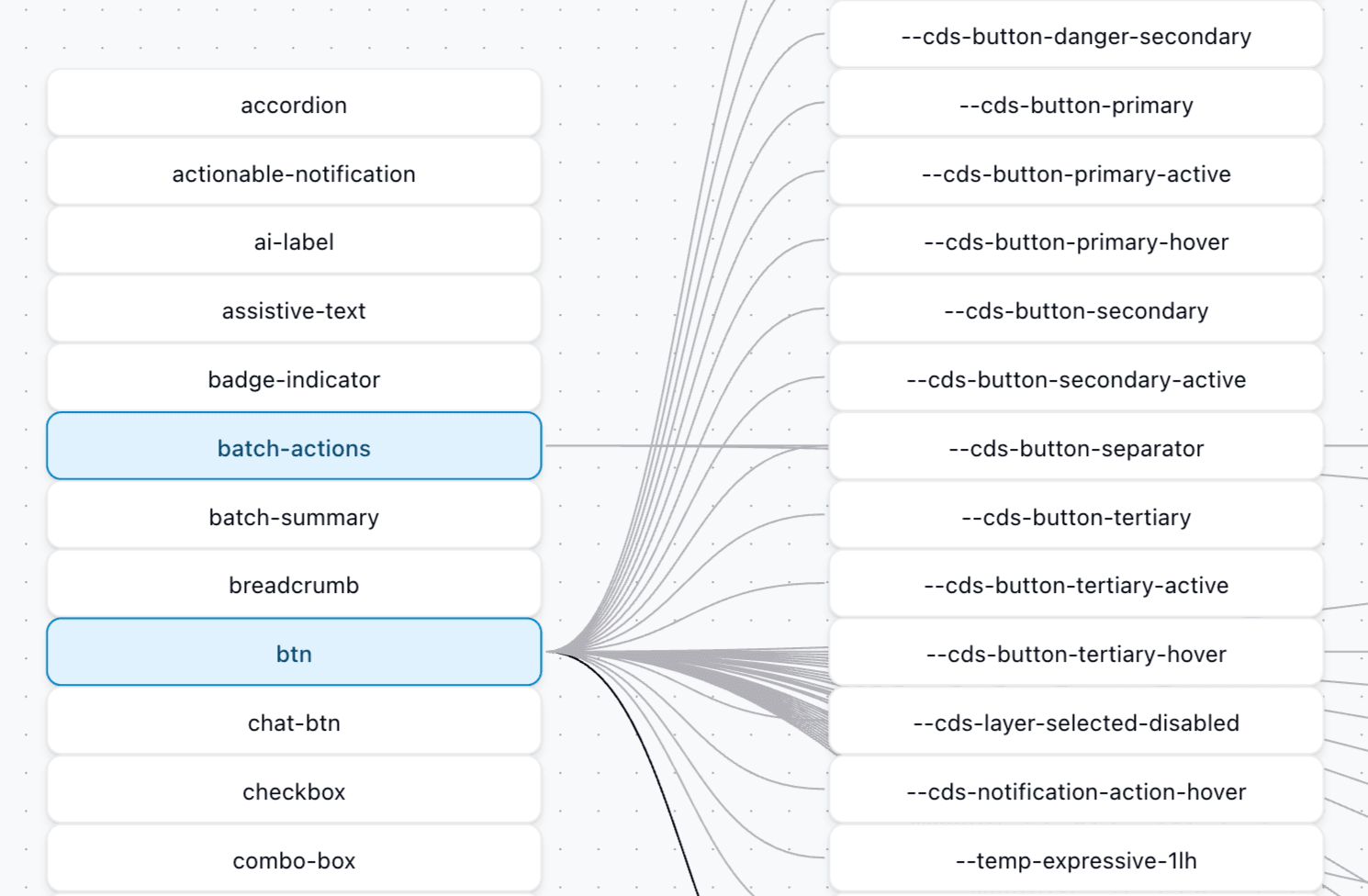
Design Tokens Visualizer, with token nodes and component nodes connected by reference and usage lines.
- Design Tokens Visualizer. A web tool to explore how tokens reference each other and where they're used, with search and flow diagrams.
- Component Tracker (Figma), by Jeremy Dahan. Tracks components from libraries or created locally, so you can explore how and where each is used.
- Dependency Visualizer (for engineers). Generates a dependency graph straight from your code, a neat addition to your Figma plugins.
- Madge (for engineers). Draws a visual graph of your JavaScript/TypeScript module dependencies and flags circular ones.
- Dealing With Dependencies, by Nathan Curtis. The foundational read on why dependencies matter and how to reason about them inside a design system.
Wrapping Up #
For years, we've been figuring out how to name, design and document UI components, and how to manage design tokens. But with AI in place, we start diving into observability and component contracts — with better visibility into and guardrails how DS behaves and how changes propagate.
And as we make design systems AI-ready, guiding the system and understanding dependencies becomes just as important as designing reusable assets.
Hopefully the tools listed above will help you understand where small changes make an impact and when they break things — before it happens.
Useful Resources #
- Impact Atlas, by Rafael Matos da Silva
- Synapse, by Christian Heydt
- Lineage, by Lalo Martínez
- DS Explorer, by Yarik Bright
- Asset Deps, by Will Johnson
- Component Graph, by Javier Cuello
- Design Tokens Visualizer
- Component Tracker, by Jeremy Dahan
- Dependency Visualizer
- Madge
- Dealing With Dependencies, by Nathan Curtis